
Remote teams do not need another video meeting disguised as team building.
Good virtual team building activities give coworkers a reason to talk, compete, create, solve problems, laugh, or learn something together outside their normal work.
The challenge is choosing an activity that actually fits your team. A five-minute icebreaker can work perfectly before a weekly meeting but feel underwhelming as a dedicated team event. A 90-minute virtual workshop can create a memorable experience, but it would be excessive when all you need is a quick way to get people talking.
The best activity depends on your team size, available time, budget, personality, and what you want people to get from the experience.
Virtual Team Building Activities at a Glance
Use this table to find an activity that fits your team before exploring each idea in more detail.
| Activity | Time | Team size | Cost | Best for |
|---|---|---|---|---|
| This or That | 5 to 10 min | Any | Free | Quick warm-up |
| Emoji Check-In | 5 min | Any | Free | Starting meetings |
| Two Truths and a Lie | 10 to 20 min | 3 to 20 | Free | New teams |
| One-Word Story | 10 to 15 min | 4 to 15 | Free | Creativity |
| Rapid-Fire Questions | 10 to 20 min | 3 to 20 | Free | Getting acquainted |
| Virtual Scavenger Hunt | 20 to 30 min | 5 to 50 | Free | Energy |
| Remote Show and Tell | 20 to 40 min | 3 to 15 | Free | Personal connection |
| Blind Drawing | 15 to 30 min | 4 to 30 | Free | Communication |
| Guess the Workspace | 15 to 30 min | 4 to 25 | Free | Team bonding |
| Team Playlist | 20 to 40 min | Any | Free | Shared interests |
| Photo Challenge | Flexible | Any | Free | Async teams |
| Virtual Trivia | 30 to 60 min | 5 to 100+ | Free or paid | Competition |
| Virtual Pictionary | 20 to 45 min | 4 to 30 | Free | Creativity |
| Virtual Bingo | 20 to 45 min | 5 to 100+ | Free | Large groups |
| Online Escape Room | 45 to 90 min | 4 to 30 | Usually paid | Problem solving |
| Virtual Murder Mystery | 60 to 120 min | 6 to 30 | Free or paid | Immersive fun |
| Team Feud | 30 to 60 min | 8 to 100+ | Free | Competition |
| Virtual Cooking Class | 60 to 90 min | 5 to 30 | Paid | Social bonding |
| Art or Drawing Workshop | 45 to 90 min | 5 to 40 | Free or paid | Creativity |
| Skill-Share Workshop | 30 to 90 min | 3 to 50 | Free | Learning |
| Collaborative Storytelling | 30 to 60 min | 4 to 20 | Free | Creativity |
| DIY Challenge | 30 to 60 min | 4 to 30 | Low cost | Hands-on teams |
| Virtual Coffee Roulette | 15 to 30 min | Any | Free | One-to-one connection |
| Reverse Interview | 20 to 40 min | 3 to 12 | Free | Small teams |
| Personal User Manuals | 45 to 90 min | 3 to 12 | Free | Better collaboration |
What Are Virtual Team Building Activities?
Virtual team building activities are games, exercises, workshops, challenges, and shared online experiences designed to help remote coworkers interact outside their normal work tasks.
They can be as simple as a five-minute question at the beginning of a meeting or as structured as a company-wide virtual event.
The goal is not necessarily to turn coworkers into best friends. Good remote team building can simply make it easier for people to communicate, learn something about one another, collaborate across departments, or feel more comfortable interacting outside strictly task-oriented conversations.
The format matters less than participation. A simple scavenger hunt where everyone gets involved can be more effective than an elaborate virtual event where most attendees sit silently while two people speak.
Quick Virtual Team Building Activities
Sometimes you do not need to schedule a separate event. These activities work well at the beginning of a remote meeting, during a short break, or whenever the team has 5 to 20 minutes available.
1. This or That
Time: 5 to 10 minutes · Best for: Quick warm-ups · Preparation: None
Give the team two options and ask everyone to choose. Coffee or tea? Mountains or beach? Morning or night? Work from home or work from a café? Books or movies?
People can answer using the chat, reactions, a poll, or simply by raising their hands. Start with easy questions and gradually make them more interesting. For a design team, you might ask: Minimalism or maximalism? Dark mode or light mode? Figma or pen and paper?
The goal is not to start a serious debate. It is simply to create low-pressure participation.
2. Emoji Check-In
Time: 5 minutes · Best for: Starting regular remote meetings · Preparation: None
Ask everyone to describe how they are feeling using only an emoji. People can post their emoji in the chat at the same time, then a few people can explain their choice if they want to.
Someone might choose ☕ because they need more coffee, 🚀 because a project is going well, or 🫠 because the week has been chaotic. It works because participation requires almost no effort.
3. Two Truths and a Lie
Time: 10 to 20 minutes · Best for: New teams · Preparation: Low
Each person shares three statements about themselves. Two are true and one is false. The rest of the team guesses which one is the lie.
The game becomes more interesting when people choose facts coworkers would not already know. It works particularly well when a new team is forming or several new employees have recently joined.
4. One-Word Story
Time: 10 to 15 minutes · Best for: Creativity and quick collaboration · Preparation: None
The group creates a story together, but each person can contribute only one word at a time. One person starts with “Yesterday,” the next says “our,” then “designer,” then “discovered,” and the story quickly becomes unpredictable.
For larger teams, split people into smaller rooms and have each group create its own story. At the end, everyone comes back and reads the results.
5. Rapid-Fire Questions
Time: 10 to 20 minutes · Best for: Getting acquainted · Preparation: Prepare questions
Choose one team member and ask a series of quick questions: What food could you eat every week? What was your first job? What skill would you learn instantly? What country would you like to visit?
Keep answers short and move quickly. The following week, choose someone else. Over time, the activity becomes a simple recurring tradition that helps distributed coworkers learn more about one another.
Free Virtual Team Building Activities
Team building does not need a budget. Some of the best free virtual team building activities work precisely because they use what people already have around them.
6. Virtual Scavenger Hunt
Time: 20 to 30 minutes · Best for: Energy and movement · Preparation: Prepare prompts
Give everyone a challenge such as “Find something older than ten years,” “Find something you bought while traveling,” or “Bring back something that represents your hobby.” Give participants 30 to 60 seconds to find each object.
When everyone returns, ask a few people to explain what they brought. The stories usually become more interesting than the scavenger hunt itself.
7. Remote Show and Tell
Time: 20 to 40 minutes · Best for: Personal connection · Preparation: Minimal
Ask each participant to bring an object that means something to them. It might be a book, souvenir, musical instrument, photograph, piece of artwork, collectible, or something completely unexpected.
Each person gets one or two minutes to show the object and explain why they chose it. The object gives people something concrete to talk about without forcing personal disclosure.
8. Blind Drawing
Time: 15 to 30 minutes · Best for: Communication · Preparation: Prepare simple images
Put participants into pairs. One person receives an image but cannot show it to their partner. They describe it using words while the other person tries to draw it.
When time is up, compare the drawing with the source image. It also demonstrates how difficult communication can be when one person assumes the other understands something that was never stated clearly.
9. Guess the Workspace
Time: 15 to 30 minutes · Best for: Remote teams · Preparation: Collect photos beforehand
Ask each team member to send a photo of part of their workspace without revealing anything that makes their identity obvious. During the activity, show the photos one at a time and let everyone guess who each workspace belongs to.
10. Create a Team Playlist
Time: 20 to 40 minutes · Best for: Shared interests · Preparation: Create a shared playlist
Ask every team member to contribute one song and explain why they chose it. You can use themes such as songs that help you focus, music from your country, or songs everyone should hear once.
The playlist remains after the activity, giving the team something shared that can continue evolving over time.
11. Photo Challenge
Time: Flexible · Best for: Asynchronous remote teams · Preparation: Choose a prompt
Create a weekly photo challenge in your team chat. Prompts might include “Your view today,” “Something that made you smile,” “Your lunch,” or “A place near where you live.”
People can respond whenever it fits their timezone, which makes photo challenges particularly useful for globally distributed teams.
Virtual Team Building Games
If you have 30 to 90 minutes available, structured games can create more energy and competition.
12. Virtual Trivia
Time: 30 to 60 minutes · Best for: Competition and larger groups · Preparation: Medium
Split everyone into teams and prepare rounds such as general knowledge, movies, music, geography, technology, company history, or industry knowledge.
You can make one round entirely about the team: Who has worked at the company the longest? Which coworker has visited the most countries? Who said a particular quote in Slack? Company-specific trivia rewards people for knowing their coworkers rather than simply knowing random facts.
13. Virtual Pictionary
Time: 20 to 45 minutes · Best for: Creativity and laughter · Preparation: Low
Divide everyone into teams. One player receives a word and tries to draw it while teammates guess using an online whiteboard or drawing tool. Keep the timer short, perhaps 60 seconds per round.
14. Virtual Bingo
Time: 20 to 45 minutes · Best for: Large groups · Preparation: Prepare cards
Create bingo cards based on experiences relevant to your team: has worked from another country, owns more than three monitors, has a pet nearby, has accidentally spoken while muted, or has attended a meeting from an airport.
Participants talk to one another and try to identify coworkers who match each square.
15. Online Escape Room
Time: 45 to 90 minutes · Best for: Problem solving · Cost: Often paid
Virtual escape rooms challenge teams to solve puzzles, discover clues, and complete a mission within a time limit. They work because the group has a clear shared problem, creating a natural reason for interaction.
For larger teams, create multiple competing groups and compare completion times.
16. Virtual Murder Mystery
Time: 60 to 120 minutes · Best for: Immersive team events · Preparation: Medium to high
Each person receives a character and information about a fictional mystery. The group interacts, asks questions, gathers clues, and tries to determine what happened.
This works best when participants are willing to play along with their characters, so consider the personality of your team before choosing it.
17. Team Feud
Time: 30 to 60 minutes · Best for: Competition and larger teams · Preparation: Medium
Create a game inspired by survey-based television competitions. Survey people beforehand with questions such as “What is the first thing people do when they start working?” or “What is the most annoying thing that can happen during a video call?” Teams try to guess the most common responses.
Creative Virtual Team Building Activities
Not every team building event needs to involve a game. Creative activities and workshops give people an opportunity to learn or make something together.
18. Virtual Cooking Class
Time: 60 to 90 minutes · Best for: Social bonding · Preparation: High
Choose a recipe people can reasonably prepare from home and send the ingredient list several days before the event. During the session, one person guides everyone through the recipe step by step.
Try to choose recipes that allow substitutions so dietary restrictions and local ingredient availability do not exclude anyone.
19. Art or Drawing Workshop
Time: 45 to 90 minutes · Best for: Creativity · Preparation: Medium
Invite someone to guide the team through a drawing, painting, collage, or another simple creative project. The objective does not need to be artistic quality. The shared process is what matters.
A workshop format can work particularly well because participants are actively doing something rather than simply watching another presentation. Planning something more structured? Our guide to online workshops covers the full process from planning the activity to running the live experience.
20. Skill-Share Workshop
Time: 30 to 90 minutes · Best for: Learning from coworkers · Preparation: Medium
Ask for volunteers to teach a short session about something they enjoy. Topics can include photography, coffee, chess, drawing, cooking, language phrases, music production, video editing, or a coding technique.
The organizer gains a team building activity without hiring an external facilitator, while the person teaching gets to share something they care about.
21. Collaborative Storytelling
Time: 30 to 60 minutes · Best for: Creativity · Preparation: Low
Divide people into small teams and give everyone the same opening prompt, such as “On Monday morning, the entire internet suddenly disappeared.” Each group has 20 minutes to create the rest of the story.
They can write it, present it, draw it, or turn it into a short slide deck. Giving every team the same beginning makes the different outcomes more entertaining.
22. DIY Challenge
Time: 30 to 60 minutes · Best for: Hands-on participation · Preparation: Medium
Give everyone a simple challenge using household materials: build the tallest structure using paper, create an object using only cardboard and tape, or build a bridge that can hold a coffee mug.
At the end, everyone demonstrates what they built. Add categories such as tallest, strongest, most creative, or most ridiculous design.
Virtual Team Building Activities for Small Groups
Small remote teams have an advantage. When there are six people rather than sixty, you can use formats where everyone has time to speak.
23. Virtual Coffee Roulette
Time: 15 to 30 minutes · Best for: One-to-one relationships · Preparation: Low
Randomly match coworkers into pairs and give each pair 15 to 30 minutes for an informal virtual coffee. There does not need to be an agenda, although optional questions can help people who do not know where to start.
Repeat the activity every few weeks and rotate the pairs. Over time, people begin interacting with coworkers outside their usual department or project.
24. Reverse Interview
Time: 20 to 40 minutes · Best for: Small teams · Preparation: Low
Put participants into pairs. Instead of talking about themselves, each person interviews the other. When everyone returns to the main room, each person introduces their partner to the group.
This changes the dynamic because people need to listen carefully to present what they learned.
25. Personal User Manuals
Time: 45 to 90 minutes · Best for: Improving team collaboration · Preparation: Medium
Ask each person to create a short “user manual” explaining how they work best. Prompts might include “I do my best work when...,” “The best way to communicate something urgent to me is...,” and “I prefer feedback that is...”
This activity is less playful than trivia or Pictionary, but it can have a more direct effect on how a team actually works.
How to Choose the Right Virtual Team Building Activity
Having 25 ideas does not help if you still do not know which one to choose. Start with the outcome.
| Your goal | Activities to try |
|---|---|
| Help a new team get acquainted | Two Truths and a Lie, Remote Show and Tell |
| Start a meeting with energy | This or That, Emoji Check-In |
| Improve communication | Blind Drawing, Online Escape Room |
| Encourage creativity | Pictionary, Collaborative Storytelling, Art Workshop |
| Create friendly competition | Trivia, Bingo, Team Feud |
| Build one-to-one relationships | Coffee Roulette, Reverse Interview |
| Learn something together | Skill-Share Workshop, Cooking Class |
| Run something completely free | Scavenger Hunt, Show and Tell, Pictionary |
| Engage a large remote team | Trivia, Bingo, Team Feud |
| Build deeper collaboration | Personal User Manuals |
Do not choose something simply because it sounds elaborate. A complicated activity that does not fit the group will usually perform worse than a simple one everyone understands immediately.
How Long Should Virtual Team Building Activities Last?
Good for meeting warm-ups such as This or That, Emoji Check-Ins, Rapid-Fire Questions, or One-Word Stories. There is usually no reason to schedule a separate meeting for these.
Good for lightweight activities such as scavenger hunts, Pictionary, coffee chats, or Blind Drawing.
Enough time for more structured activities such as trivia, Team Feud, collaborative challenges, or short workshops.
Use this range for cooking classes, art workshops, escape rooms, skill-sharing sessions, and larger games that need time to develop.
Longer sessions should usually contain multiple activities and breaks. Design something closer to a virtual retreat or team event instead of stretching one game.
End the activity while people are still enjoying it.
How to Make Virtual Team Building Less Awkward
The phrase “mandatory fun” exists for a reason. Poorly planned team building can feel forced, especially online.
Give people something to do
“Everyone join the call at 4 PM so we can hang out” creates very different expectations from “At 4 PM, teams will have 30 minutes to solve a virtual mystery.” A clear activity creates a natural reason for interaction.
Avoid forcing personal disclosure
Team building does not require people to reveal intimate details. Someone should be able to participate without discussing relationships, health, finances, family, politics, or other topics they prefer to keep private.
Use smaller groups
Thirty people in one video call creates very different dynamics from five groups of six. For conversation-based activities, smaller groups usually give everyone more opportunity to participate.
Explain the rules clearly
Confusion kills momentum. People should understand what they are doing, how long they have, how teams work, and what happens next.
Cameras should fit the activity
Some activities naturally benefit from video, while others do not require it. Do not turn camera usage into the purpose of the exercise.
Keep the pace moving
Virtual activities become uncomfortable when there are long gaps between turns. Prepare materials beforehand, establish time limits, and have the next activity ready.
How Often Should Remote Teams Do Team Building?
There is no universal schedule. A small team that already communicates constantly may need less structured team building than a large distributed company where people rarely interact outside their departments.
Instead of creating a major event every week, use different levels of activity. A five-minute question can become part of a recurring meeting. Coffee roulette might happen once per month. A larger workshop or team event could happen quarterly.
The goal should be creating useful opportunities for interaction, not maximizing the number of team building sessions on the calendar.
How to Organize a Virtual Team Building Event
Not every activity needs event software. If six coworkers are playing Pictionary for 20 minutes after a weekly meeting, opening another platform would only make the process more complicated.
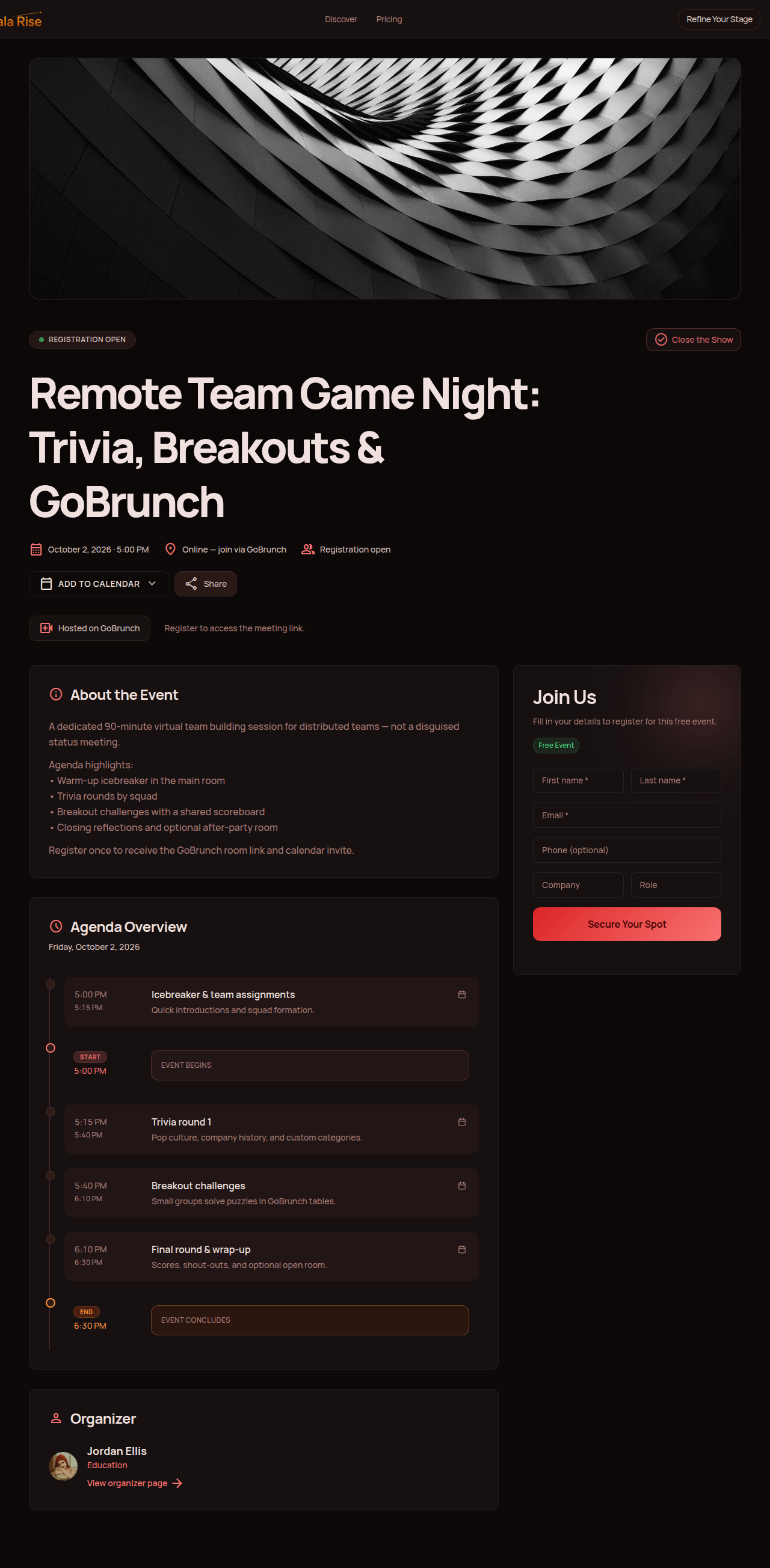
But the requirements change when you are organizing something larger. Imagine a remote company planning a 90-minute virtual team event for 150 employees. You may need a page explaining the event, registration, a clear agenda, multiple facilitators, live access, different activities, resources, and perhaps replay content.
At that point, you are no longer simply adding a game to a video meeting. You are organizing a virtual event.
Organize the event around the live experience
Gala Rise can help organizers create an event page, manage registrations, publish agendas and speakers, and organize the attendee experience around the event.
For the live videoconference itself, Gala Rise integrates with GoBrunch. The organizer can create a GoBrunch room linked to the Gala Rise event, giving attendees a live space where the virtual team building session can happen.
Gala Rise organizes the event experience, while GoBrunch provides the live virtual room.
For a broader look at the software involved in larger online experiences, see our guide to virtual event platforms.
Example: A 60-Minute Virtual Team Building Event
If you want something more structured than a single game, combine several activities.
- Welcome. Explain what will happen and make sure everyone understands how to participate.
- Warm-up. Run This or That, a short scavenger hunt, or another low-pressure activity.
- Main challenge. Use trivia, an escape-room-style challenge, Blind Drawing, or another collaborative game.
- Small-group activity. Move people into smaller groups for a more conversational exercise.
- Return and recap. Invite groups to share what happened and announce results if the event includes competition.
- Close. Thank everyone and explain any next steps.
For larger events, publishing the schedule ahead of time can make the experience easier to understand. Our guide on how to create an event page covers the page, agenda, registration experience, and other information attendees need.
Virtual Team Building for Hybrid Teams
Team building becomes more complicated when some employees are physically together while others join remotely. The main risk is that remote participants become spectators.
Whenever possible, design the activity so participation happens through the same system. Instead of giving the physical room one trivia answer sheet, let everyone submit answers digitally. Instead of having only the people in the office draw on a physical whiteboard, use an online board everyone can access.
If the activity relies heavily on small-group interaction, mix in-person and remote participants deliberately rather than letting physical location determine the teams.
If you are organizing events that combine online and in-person participation, our hybrid events guide explores this challenge in more detail.
Frequently Asked Questions
What are virtual team building activities?
Virtual team building activities are games, exercises, workshops, challenges, and shared online experiences designed to help remote coworkers communicate, collaborate, learn about one another, or simply spend time together outside their normal work. They range from five-minute icebreakers to full virtual events.
What are some fun virtual team building activities?
Popular options include virtual trivia, scavenger hunts, Pictionary, online escape rooms, murder mysteries, cooking classes, art workshops, Team Feud, show and tell, and collaborative storytelling. The best activity depends on your team's size and personality.
What are the best free virtual team building activities?
Useful free activities include Two Truths and a Lie, virtual scavenger hunts, Remote Show and Tell, Blind Drawing, Guess the Workspace, Team Playlists, Photo Challenges, Pictionary, and Virtual Coffee Roulette.
What are good virtual team building activities for small groups?
Small groups can use activities that give everyone time to speak, including Virtual Coffee Roulette, Reverse Interviews, Remote Show and Tell, Blind Drawing, Personal User Manuals, Two Truths and a Lie, and small workshops.
What virtual team building games work for large groups?
Virtual trivia, bingo, Team Feud, scavenger hunts, and team-based competitions are easier to scale to larger groups. For very large events, split attendees into smaller teams rather than expecting everyone to participate individually in one conversation.
How long should virtual team building activities last?
Quick meeting activities can take 5 to 15 minutes. Dedicated sessions often work well between 30 and 60 minutes. Workshops, cooking classes, escape rooms, or larger virtual events may need 60 to 90 minutes.
How do you make virtual team building fun?
Give participants a clear activity rather than expecting conversation to happen automatically. Keep instructions simple, reduce waiting time, use smaller teams when possible, avoid forced personal disclosure, and choose something appropriate for the personalities in your group.
How often should remote teams do virtual team building?
There is no single correct frequency. Small activities can happen during regular meetings, informal pair activities might happen monthly, and larger virtual team events might happen a few times per year. Quality matters more than frequency.
Can virtual workshops be used for team building?
Yes. Cooking, drawing, photography, skill-sharing, communication, and other interactive workshops can work particularly well because the team learns or creates something together.
How do you organize a virtual team building event?
Start by defining the purpose, group size, duration, and activity. For larger events, create an agenda, choose facilitators, prepare the live environment, communicate how attendees will join, and test the experience beforehand.
Final Thoughts
Virtual team building does not need to be elaborate. Sometimes the right activity is a five-minute question before a meeting. Sometimes it is a scavenger hunt. Sometimes it is a 90-minute workshop or a company-wide virtual event.
What matters is that people have a clear reason to participate.
Do not choose an activity because it looks impressive on a list. Choose it because it fits your team, your time, and what you want people to get from the experience.
The best virtual team building activity is not the most complicated one. It is the one your team actually wants to take part in.
Planning a larger virtual team event?
Create the event page, organize registrations and agendas, connect a GoBrunch live room, and give your remote team one place to understand the experience.
Start with Gala Rise