Online workshops make it possible to teach, collaborate, build a community, and share expertise with people anywhere in the world.
But creating a successful online workshop involves more than opening a video call and inviting people to join.
You need a clear topic, the right format, a registration experience, an agenda, a virtual room where the workshop can happen, and, if you are charging for attendance, a simple way to sell tickets. You also need to think about what happens after the workshop, from sharing resources to making the replay available.
Whether you are a creator teaching a new skill, an educator organizing a training session, or a community leader bringing people together, this guide walks through how to plan, promote, sell, and host engaging online workshops from start to finish.
What Is an Online Workshop?
An online workshop, also commonly called a live workshop, is an interactive session hosted over the internet where participants learn, practice, discuss, or create something around a specific topic.
Unlike content designed primarily to be watched, online workshops are usually built around participation.
For example, instead of simply watching someone explain how to build a personal brand, participants might leave the workshop having written their positioning statement, improved their profile, or reviewed their work with the host.
That difference matters.
By the end of this workshop, participants will have accomplished something.
That "something" might be:
- Creating their first landing page
- Painting a watercolor piece
- Building a marketing strategy
- Writing a short story
- Learning a new software workflow
- Preparing for a job interview
- Developing a lesson plan
- Reviewing a business idea
The more specific the outcome, the easier it becomes to design and promote the workshop.
Online Workshop vs. Webinar vs. Online Course
Online workshops are sometimes confused with webinars and online courses, but they usually serve different purposes.
A webinar is generally presentation-driven. One or several speakers present information to an audience, with interaction often limited to chat, polls, or a Q&A.
An online course usually contains a larger body of educational material and may be consumed asynchronously over several days or weeks.
An online workshop, or live workshop, typically focuses on helping participants do something during a defined live session.
| Format | Interaction | Usually live? | Best suited for |
|---|---|---|---|
| Online workshop / Live workshop | High | Yes | Practice, collaboration, and hands-on learning |
| Webinar | Low to medium | Yes | Presentations and information sharing |
| Online course | Variable | Not necessarily | Structured, longer-term learning |
These formats can overlap. A creator might offer an online course and add monthly live workshops for students. A community might run webinars for large announcements and smaller online workshops for deeper conversations.
The right format depends on what you want participants to achieve.
Why Host Online Workshops?
Moving a workshop online removes many of the limitations of physical events.
You are no longer restricted to people who live in the same city or can travel to a particular venue. A host can bring participants from different countries into the same live workshop.
Turn your expertise into a product
If you know how to do something other people want to learn, an online workshop can be one of the simplest formats for packaging that expertise.
You do not necessarily need to create dozens of videos or build an entire course. You can start with one focused live experience.
Validate topics before creating larger products
Suppose you are considering creating an extensive course about photography. Before spending weeks producing it, you could run a two-hour online workshop about portrait lighting.
The questions, feedback, and behavior of participants can help you understand what they actually need.
Create more interaction than recorded content
Live workshops give participants an opportunity to ask questions, share their work, receive feedback, and interact with other attendees in real time.
Build a community around your work
A workshop does not have to be an isolated event. Creators, schools, and communities can run a series of online workshops around related topics, giving attendees reasons to return and stay connected.
How to Create an Online Workshop in 10 Steps
A successful online workshop starts long before participants enter the virtual room. Here is a practical process you can follow.
1. Choose One Clear Workshop Outcome
Start by asking:
What should a participant be able to do by the end of the workshop?
Avoid outcomes that are too broad.
Instead of "Learn about email marketing," try "Create your first 5-email welcome sequence."
Instead of "Understand watercolor painting," try "Paint your first watercolor landscape."
A specific transformation gives you a foundation for everything that comes next: the workshop title, agenda, activities, landing page, and promotion.
2. Define Who the Workshop Is For
The same topic can result in completely different workshops depending on the audience.
A workshop called "Introduction to AI" could be designed for teachers, marketing professionals, software developers, small business owners, designers, or university students.
Instead of trying to serve everyone, define your ideal participant. Ask:
- What do they already know?
- What problem are they trying to solve?
- What level of experience do they have?
- What would make this workshop worth attending?
- What would they like to leave with?
3. Choose the Right Workshop Format
Not every online workshop needs to be an all-day event. In many cases, a focused 60- or 90-minute live workshop can be more effective.
60 minutes: Useful for a focused topic, introductory session, or community event.
90 minutes: Allows more room for explanation, an activity, discussion, and questions.
Two to three hours: Suitable for topics where attendees need substantial hands-on time.
Half day: Useful for deeper professional training or collaborative sessions.
Multiple sessions: Divide the experience into several live workshops taking place over multiple days or weeks.
Whatever format you choose, build in breathing room. A workshop where every minute is filled with presentation quickly starts feeling like a webinar.
4. Build an Agenda Around Participation
Once you know the outcome and duration, work backwards to build the agenda.
For example, a 90-minute online workshop could look like this:
- Welcome and introductions. Explain what participants will achieve and how the session will work.
- Core concept. Introduce the framework, technique, or idea participants will use.
- Guided activity. Participants begin applying what they have learned.
- Review and discussion. Review examples, answer questions, or invite participants to share their work.
- Second activity. Give participants another opportunity to practice.
- Q&A. Address questions that have not already been covered.
- Next steps. Explain what participants should do after the workshop and where to find resources or the replay.
The exact structure will vary, but the principle is useful: do not make the entire workshop about listening. Give people something to do.
5. Create Your Online Workshop Page
Your workshop page has one important job: help the right person decide whether they should register.
Someone arriving on the page should quickly understand:
- What the workshop is about
- Who it is for
- What they will learn or create
- Who is hosting it
- When it takes place
- How long it lasts
- What the agenda looks like
- Whether it is free or paid
- What is included
- How to register
Avoid making visitors search through multiple pages, forms, documents, and payment links just to understand how your event works.
Bring the workshop experience together
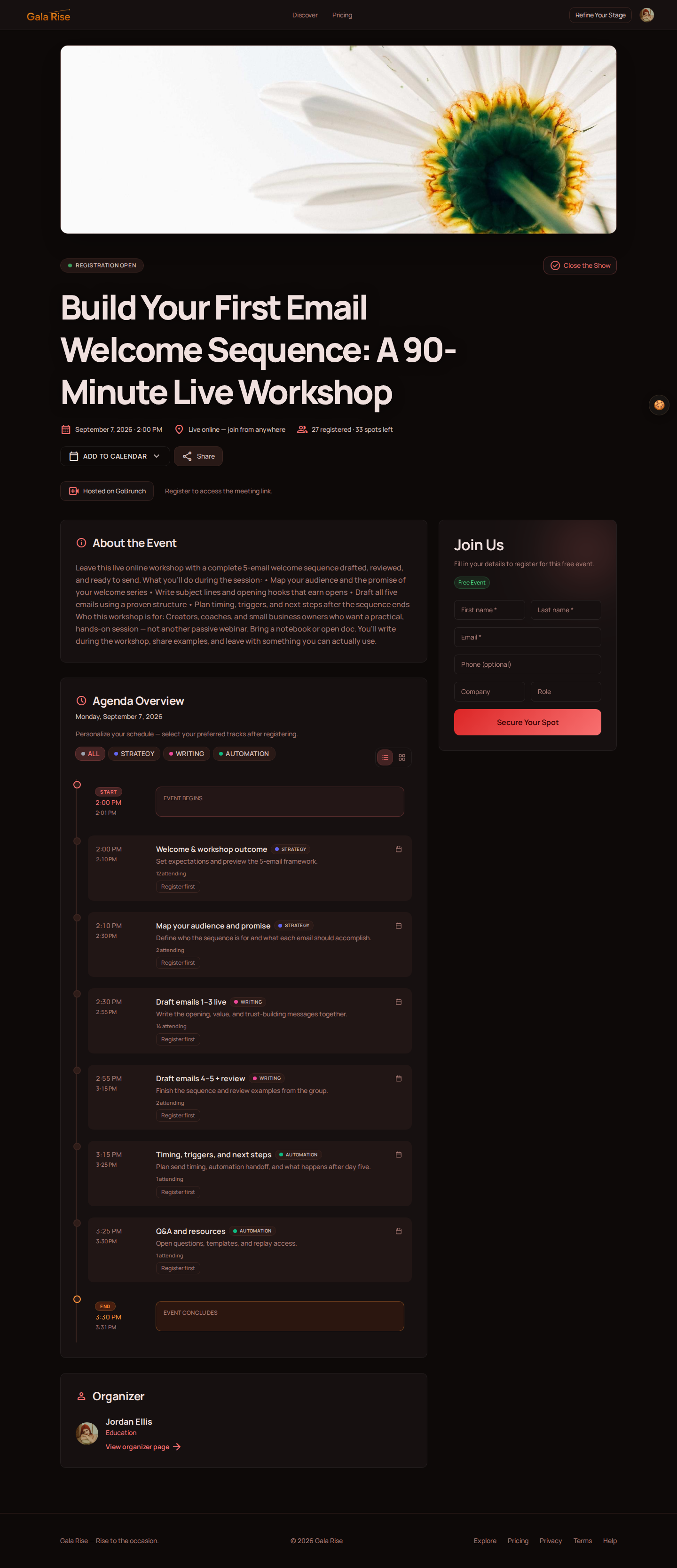
Gala Rise lets creators, communities, and schools create an event page while managing registration, paid tickets, the agenda, speakers, the live experience, and replay content around the same event.
Instead of treating the registration form, payment, schedule, virtual room, and replay as unrelated pieces, you can organize the workshop as one connected experience.
6. Decide Whether Your Online Workshop Will Be Free or Paid
Both models can work.
A free online workshop can help you grow a community, introduce people to your work, launch another product, educate existing customers, build an audience, or test a new workshop idea.
A paid online workshop makes sense when the workshop itself delivers a meaningful transformation.
People are not simply paying for 90 minutes of your time. They may be paying for your expertise, preparation, exercises, feedback, resources, access, and the ability to achieve a result faster.
How Much Should You Charge for an Online Workshop?
There is no universal price for an online workshop. Instead of choosing a price based only on duration, consider:
- The outcome: How valuable is the result participants are working toward?
- The audience: A professional training workshop and a casual hobby workshop serve different markets.
- The level of access: Will participants receive direct feedback from the host?
- The number of attendees: A workshop limited to 10 people can provide a different experience from one with a much larger audience.
- What is included: Templates, workbooks, recordings, additional sessions, resources, or follow-up support can all affect the offer.
With Gala Rise, hosts can create paid tickets and use Stripe checkout as part of the event registration flow.
7. Promote Your Online Workshop
Publishing your workshop page does not automatically mean people will find it. You need distribution.
Start with the people most likely to care about the topic.
Your email audience
If you already have subscribers, explain the specific problem the workshop solves rather than simply announcing that you are hosting an event.
Your community
If you run a community, your first workshop attendees may already be inside it. Ask what people want to learn and use those conversations to shape future workshops.
Social media
Do not promote the workshop only once. Create multiple pieces of content around the problem, the outcome, a short lesson, behind-the-scenes preparation, questions the workshop will answer, and registration reminders.
Partners and speakers
If your workshop includes guest speakers, partners, or collaborators, make it easy for them to share the event with their audiences.
8. Prepare the Virtual Room for Your Live Workshop
Your landing page gets people registered. Your virtual room is where the online workshop actually happens.
A registration tool can collect names and emails, but a live workshop also needs an environment where participants can see and hear the host, interact with the content, ask questions, and engage with the session.
Create the virtual room where the workshop happens
This is where the integration between Gala Rise and GoBrunch becomes useful.
Inside Gala Rise, hosts can use the GoBrunch integration to create a virtual room for the event. That room becomes the space where participants and hosts can meet and interact during the live workshop.
Gala Rise organizes the event experience, including the page, registration, tickets, agenda, attendee journey, and replay. GoBrunch provides the customizable virtual space where the live session can take place.
For the attendee, the goal is a more continuous journey from discovering the workshop to joining the live experience and returning for the replay afterward.
9. Make Your Online Workshops Interactive
When the live workshop begins, do not feel pressured to fill every second with content. Participation is part of the product.
Depending on the topic, you might include:
- Live exercises
- Participant introductions
- Group discussions
- Screen sharing
- Feedback sessions
- Polls
- Questions
- Demonstrations
- Breakout activities
- Collaborative exercises
GoBrunch virtual rooms can be customized for different interactive online experiences, but tools alone do not create engagement. Your workshop format does.
Ask questions. Give people tasks. Invite them to respond. Create moments where participants are actively working with the ideas being discussed.
10. Think About What Happens After the Workshop
Your online workshop does not have to disappear when the live session ends.
Some participants may want to review a concept. Others may have missed part of the workshop. You may also have worksheets, slides, templates, links, or other resources worth sharing afterward.
With Gala Rise, hosts can make replay content and materials available around the same event experience participants used before the session.
That continuity can turn a one-time live workshop into a resource participants can return to.
The end of one workshop can also become the beginning of another workshop, a series, a community, a course, a coaching program, or another relevant event.
How to Choose an Online Workshop Platform
When people think about an online workshop platform, they often start by thinking about video.
Video matters, but it is only one part of the process.
Before the live session happens, you still need to attract attendees, explain the offer, collect registrations, potentially process payments, and communicate the agenda.
During the event, you need a virtual room where the workshop can actually take place. Afterward, you may need somewhere to share the replay and additional resources.
When comparing online workshop platforms, consider the entire attendee journey.
Event page
Can you create a professional page that clearly communicates the value of your workshop?
Registration
Can attendees register without jumping through unnecessary steps?
Paid tickets
If you are selling the workshop, can registration and payment work together?
Agenda and speakers
Can participants see what will happen, when it will happen, and who is involved?
Virtual workshop room
Where will hosts and participants actually meet and interact?
Attendee access
How will registered participants find and enter the live workshop?
Replay and resources
What happens after the event?
A good setup should reduce the number of disconnected systems both you and your attendees need to manage.
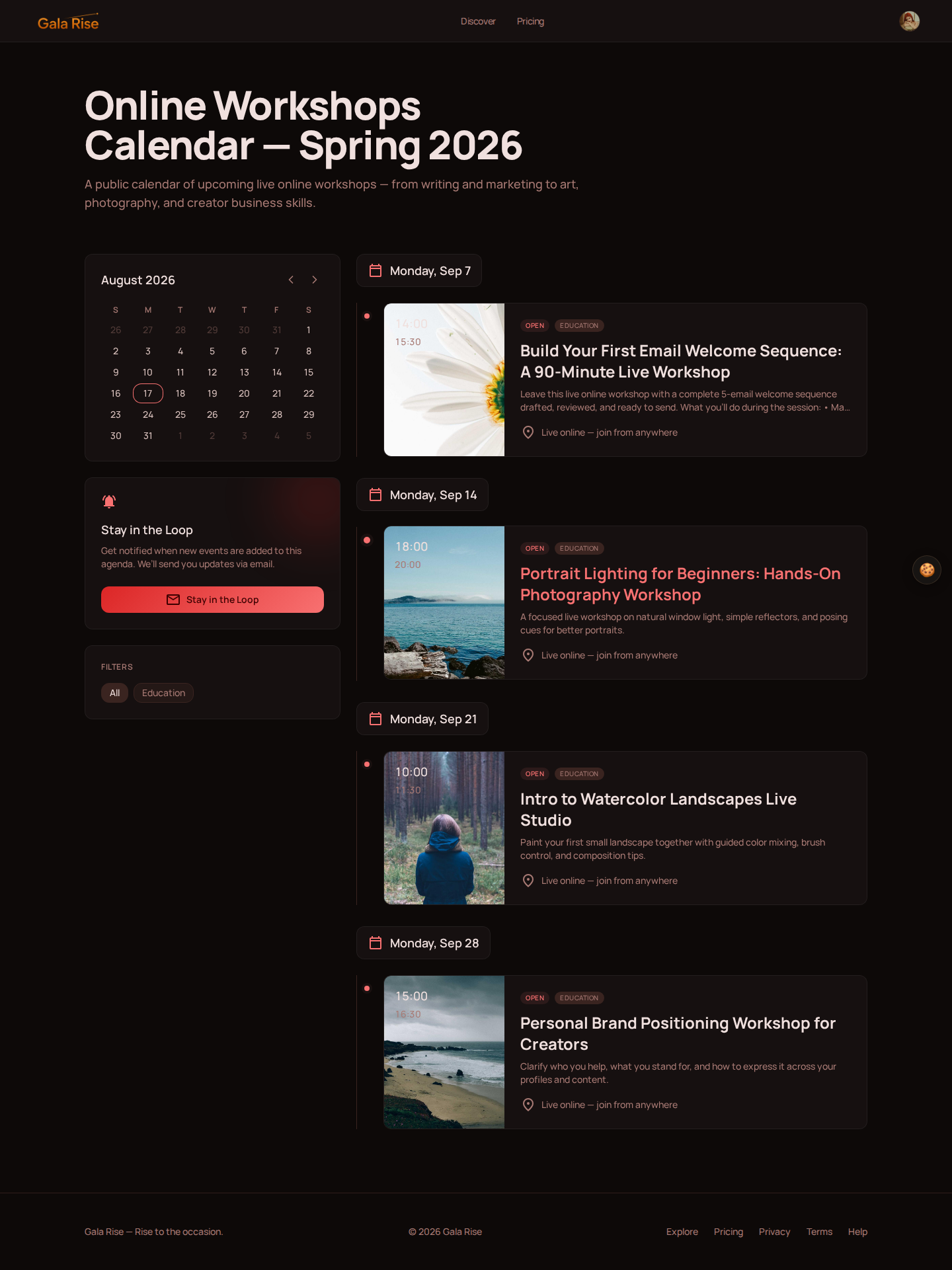
Gala Rise approaches this by connecting the event page, registration, paid tickets, agenda, a GoBrunch-powered virtual room, and replay around a single event experience.
10 Online Workshop Ideas
Not sure what kind of online workshop to create? Here are a few starting points.
1. Writing workshop
Help participants draft an article, short story, newsletter, or personal essay.
2. Design workshop
Teach attendees to create a specific design asset or work through a design challenge.
3. Marketing workshop
Help participants build a campaign, define their audience, or create a content strategy.
4. Career workshop
Focus on resumes, interviews, portfolios, networking, or career planning.
5. Art workshop
Host a live drawing, painting, photography, or creative practice session.
6. Coding workshop
Build a small project together while participants follow along.
7. Language workshop
Create a conversational session around a specific situation or language skill.
8. Business workshop
Help founders work through positioning, pricing, strategy, customer research, or another specific challenge.
9. Teacher training workshop
Give educators practical techniques or resources they can apply in the classroom.
10. Community workshop
Bring community members together to discuss, learn, solve a problem, or create something collaboratively.
The best workshop ideas usually are not broad subjects. They are specific transformations.
"Photography" is a subject. "Take better portraits using natural window light" is a workshop.
Online Workshop Checklist
Before publishing your next live workshop, use this checklist to review the attendee journey.
Before the workshop
- Define one clear participant outcome
- Identify your target audience
- Choose the date and duration
- Build the workshop agenda
- Prepare exercises and resources
- Create the event page
- Add the host and speakers
- Set up registration
- Create paid tickets if necessary
- Prepare the virtual room
- Test the live experience
- Promote the event
- Send attendee reminders
During the workshop
- Welcome participants
- Explain the outcome
- Set expectations
- Encourage participation
- Keep an eye on the agenda
- Leave time for questions
- Share clear next steps
After the workshop
- Add the replay if available
- Share worksheets and resources
- Ask attendees for feedback
- Follow up with participants
- Invite them to the next relevant event
- Review what worked
- Improve the next workshop
Frequently Asked Questions About Online Workshops
What is an online workshop?
An online workshop is a live, interactive session hosted over the internet where participants learn, practice, discuss, or create something around a specific topic. The goal is usually active participation and a clear outcome rather than passive viewing.
Are online workshops and live workshops the same thing?
In this guide, yes. Both terms describe a workshop delivered live online in a virtual room, with real-time interaction between the host and participants.
How long should an online workshop be?
Many online workshops work well at 60 or 90 minutes. Deeper hands-on topics may need two or three hours, a half day, or multiple live sessions. Choose the duration based on the outcome and how much active practice participants need.
Can I sell tickets to an online workshop?
Yes. Paid online workshops can be sold as focused learning experiences. Gala Rise supports paid event tickets with Stripe checkout as part of the registration flow.
What should an online workshop platform include?
Useful features can include an event page, registration, paid tickets, an agenda, speaker information, attendee access, a virtual room for the live workshop, and replay content after the event.
Create an Online Workshop People Want to Attend
The technology behind an online workshop matters, but it should not become the workshop itself.
Your participants care about the topic, the people they will meet, what they will learn, and what they will be able to do afterward.
Your job as a host is to design that experience.
Start with one clear outcome. Build a useful agenda around it. Make registration simple. Give participants a virtual space where they can interact. And make sure the experience does not fall apart into a collection of unrelated links before, during, and after the live workshop.
That is the idea behind Gala Rise.
You can create your workshop page, manage registrations and tickets, publish the agenda, create the virtual workshop room through GoBrunch, and make replay content available around the same event experience.
Your online workshop should feel like one event, not five different tools.